Explore Video Game Genres and Play Styles
Video games span a wide range of genres, from action, adventure, and role-playing games to sports, racing, simulation, strategy, and puzzle titles. Each offers a different kind of play: story-driven adventures focus on characters and exploration, while strategy games reward planning and resource management. Multiplayer games let friends or online players compete or cooperate, and family-friendly titles can offer approachable challenges for different ages and skill levels. Consider whether you prefer short sessions, long campaigns, creative building, competitive matches, or open worlds with room to explore. Game descriptions, gameplay footage, and age-rating information can help you assess tone and content before buying. Browsing by genre, player count, and play style makes it easier to find video games that suit your interests and the people you play with.
- Compare genres and play styles
- Check player count and age ratings
- Choose games for solo or multiplayer play
Compare Gaming Platforms, Editions, and Formats
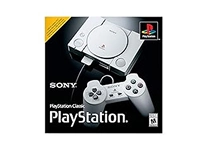
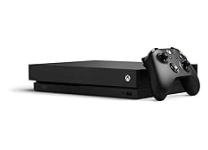
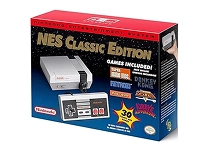
The platform determines where a game can be played, so check compatibility with your console, gaming PC, or handheld device before purchase. Popular ecosystems include Nintendo Switch, PlayStation, Xbox, and PC gaming platforms such as Steam. Some titles are exclusive to particular systems, while others are released across multiple platforms; features and performance may differ by version. Physical editions typically use a disc or game card, whereas digital editions are downloaded through an account and store. Deluxe, collector's, and complete editions may bundle expansions, cosmetic items, or other extras, so compare included content rather than relying on the edition name alone. Also check whether a listing is for the full game, an expansion, downloadable content, or a subscription. Clear platform and format checks help prevent mismatched purchases.
- Confirm platform and system compatibility
- Compare physical and digital formats
- Review edition contents before purchase
Understand Gameplay Features and Technical Requirements
Game features can shape both the experience and the equipment required. Look for single-player or multiplayer modes, local co-op, online play, cross-platform play, campaign length, and supported languages. For PC games, compare minimum and recommended system requirements, including operating system, processor, memory, graphics hardware, storage space, and internet access. Console and handheld versions may offer different resolution, frame rate, loading performance, or control options. Accessibility features such as subtitles, remappable controls, color adjustments, difficulty settings, and screen narration can make play more comfortable. Online modes may require a stable connection or a platform membership, while some games can be enjoyed offline after installation. Reviewing these details alongside gameplay videos and product specifications helps match a title to your device, preferred challenge, and play environment.
- Check PC system requirements
- Compare multiplayer and offline features
- Look for accessibility and language options
Choose Controllers, Headsets, and Gaming Accessories
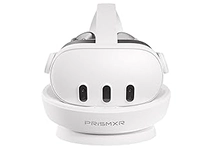
The right accessories can improve comfort and make video games easier to enjoy. Controllers vary in shape, button layout, wireless connectivity, battery type, and compatibility, so verify support for your console or PC. Gaming headsets range from wired models to wireless options and may include a boom microphone, surround-sound features, or onboard audio controls. A keyboard and mouse can suit PC genres that benefit from precise aiming or quick commands, while steering wheels, flight sticks, and arcade-style controllers provide specialized input for selected games. Storage cards, external drives, charging docks, controller grips, and protective cases can support organization and portability. Consider desk space, connection ports, power needs, and comfort during longer sessions. Pair accessories with the devices and games you already use, and check product specifications for supported systems and connection standards.
- Match accessories to your platform
- Compare comfort, connection, and controls
- Check storage and power requirements
Shop Video Games with Compatibility and Care in Mind
Before placing an order, compare the title, platform, edition, format, and included content carefully. For physical games, inspect the product details for the supported system and any stated condition; for digital products, confirm the account or storefront requirements and whether the listing is a game or an add-on. International product listings can differ in packaging, language options, and activation details, so read the available specifications and seller information. Ubuy offers a place to discover video games and related products from international selections; review each listing to understand what is included and which devices it supports. After purchase, store discs and game cards in protective cases, keep controllers clean and dry, and follow device makers' care guidance. Good storage habits and sensible account security can help protect your collection and saved progress.
- Read listing and activation details
- Verify included items and language options
- Store games and accessories carefully
Select the Right video games
Start with the system you own, then narrow your choices by genre, age rating, player count, and preferred session style. If you are buying for someone else, consider their favorite games, comfort with online play, and whether they value a physical collection or digital downloads. Compare editions by checking expansions and bonus content, and avoid assuming that a title on one platform works on another. For PC purchases, match the requirements to your hardware; for console games, verify the exact console generation and format. Accessories can be a useful addition when they suit the player's setup, but compatibility should come first. Ubuy can help shoppers explore video games alongside controllers, headsets, and other gaming gear. Use product specifications to make a considered choice, and prioritize features that fit how and where you play.
- Start with your device and preferred genre
- Check edition details and player needs
- Compare specifications before choosing