



-
Which internal components are required to build a PC?
To build a fully functional computer, you need a core set of essential computer internal components. This includes a central processing unit (CPU), a compatible motherboard, system memory (RAM), a graphics card (unless your CPU has integrated graphics), an internal storage device like an SSD, a reliable power supply unit (PSU), and a cooling system to keep your processor safe. -
What is the role of a motherboard in a computer?
The motherboard acts as the main physical foundation and communication hub for your entire computer system. It distributes power from your power supply to all your hardware and allows your processor, RAM, storage drives, and graphics card to communicate at incredibly fast speeds, ensuring your computer operates as a single, unified machine. -
How much RAM do I need for gaming and multitasking?
For an optimal modern computing experience, 16GB of RAM is considered the ideal baseline standard for everyday productivity and mainstream gaming. However, if you are building a high-end gaming PC upgrade, editing large 4K video files, or running virtual development machines, upgrading to 32GB of high-speed DDR5 RAM ensures your system has plenty of headroom to handle heavy multitasking without slowing down. -
How can I improve PC performance with internal upgrades?
The fastest way to boost an ageing computers performance is to identify and replace its slowest components. Upgrading an old mechanical drive to a high-speed internal solid-state drive provides an immediate boost to your boot times, while adding more RAM prevents your system from stuttering when multiple programs are open. If your games are lagging, installing a fresh graphics card will instantly lift your frame rates. -
What should I consider when choosing a power supply?
When shopping for a desktop power supply unit, you need to focus on total wattage capacity, build quality, and efficiency ratings. Choose a power supply that comfortably handles the combined power draw of your CPU and GPU, and look for an "80 Plus" efficiency certification (such as Bronze, Gold, or Platinum) to ensure it runs cool, saves energy, and delivers stable power to your parts. -
Can I replace internal computer components myself?
Yes, replacing or upgrading internal computer hardware is a straightforward task you can easily do at home with a few basic tools, like a Phillips screwdriver. By following your component manuals closely, working slowly on a clean surface, and making sure your PC is completely unplugged from the wall, you can successfully upgrade your systems capabilities yourself.
- Page d'accueil /
- Électronique /
- Ordinateurs et tablettes /
- Composants PC /
- Composants internes pour ordinateur
Livraison
Le délai de livraison peut varier en fonction du magasin et du pays. Pour en savoir plus Politique d'expédition
Gamme de prix
MUR
-
Shop Computer Internal Components Online in Mauritius
Trier par
|



US Boutique
Amazon Kindle 16 GB newest model - Lightest and most compact Kindle, for an ...
MUR 10620

US Boutique
Crest 3DWhitestrips at Home Teeth Whitening, Classic White, 10 Treatments, 20 Strips
MUR 1909

US Boutique
Redshine Astaxanthin 12mg,from Microalgae,Triple Strength,120 Softgels,Supports ...
MUR 1348



US Boutique
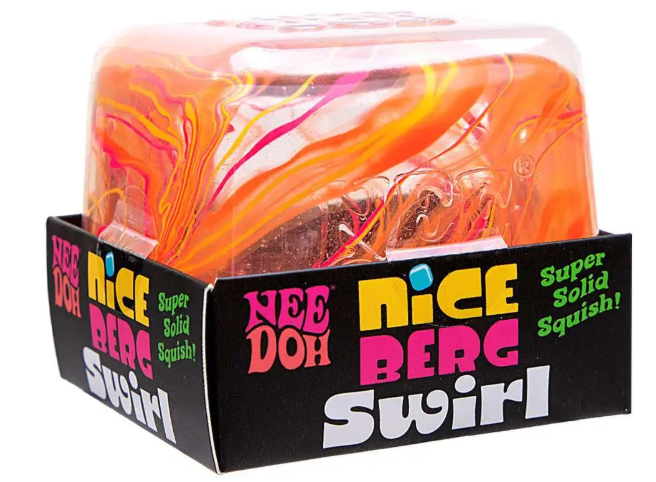
NeeDoh Squishy Lot Ripples XL Nice Berg Wonder Waves Cool Kittens Hot Shots Pup
MUR 12367


US Boutique
Schylling NeeDoh Teenie Sparkle Hearts 3 Pack Glitter Squishy Toy Authentic NEW
MUR 3878


US Boutique
Thyristor Module IGBT SKKT106/16E SKKT42 57 72 92 106 122 132 162 172 215 250 ...
MUR 2795

US Boutique
Delci 10mm DLC+PU Dynamic Driver in-Ear Monitors, Hi-Fi Wired Earphones with ...
MUR 3819


US Boutique
MJOGGOTT 9 Pcs Boho Wall Basket Decor Hanging Woven Wall Basket Art Decor Rattan ...
MUR 1775

US Boutique
Waffle Maker, 1400W Double Belgian Waffle Iron 180 Flip, 8 Slices In 3 Mins, ...
MUR 3239




US Boutique
Charizard Costume For Kids, Official Pokemon Costume Hooded Jumpsuit, Child Size ...
MUR 2720


US Boutique
Metagenics CandiBactin-AR - Concentrated Aromatic Essential Oils for Candida ...
MUR 6090


